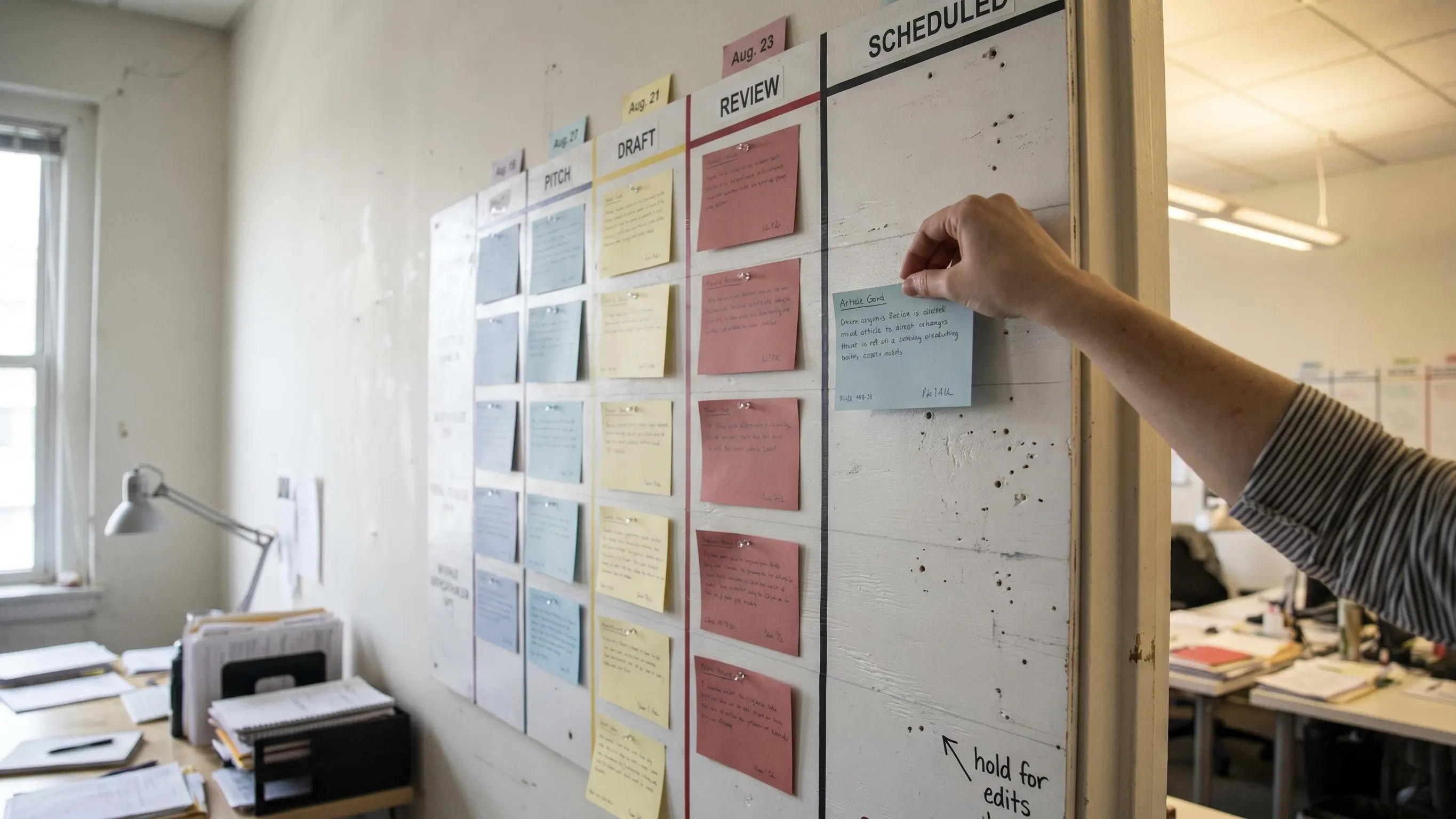
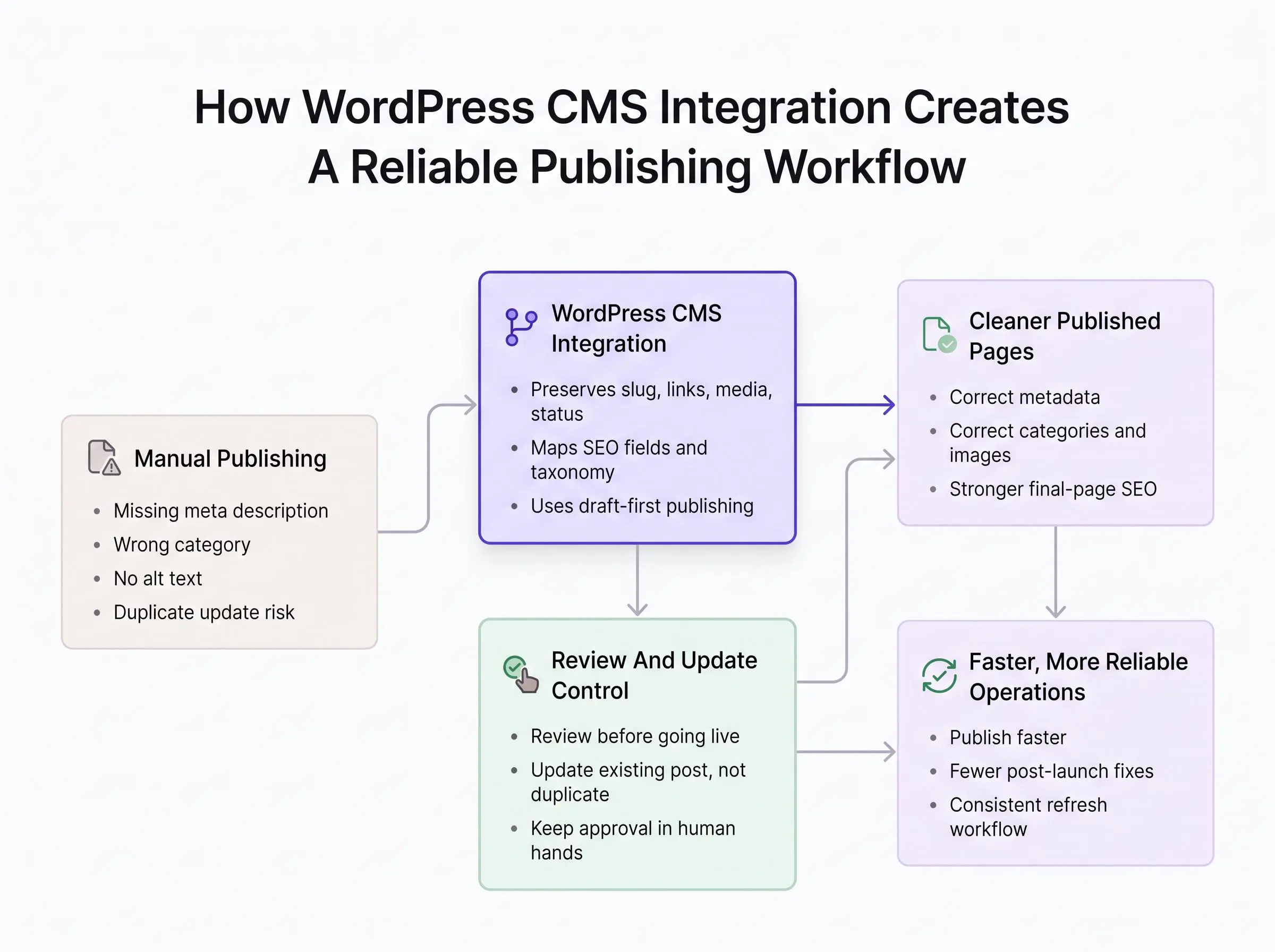
Manual publishing breaks in small, expensive ways: a missing meta description, the wrong category, an image with no alt text. WordPress CMS integration turns that last-mile scramble into a workflow you can trust.
What matters is not pushing text into WordPress. It’s preserving the slug, links, media, status, and update path while keeping approval in your hands.
Start by checking:
- Whether drafts retain SEO fields and taxonomy mapping
- How updates avoid duplicate posts
- Where review happens before anything goes live
Publish faster without losing control.
What WordPress CMS Integration Actually Means
When people say "wordpress cms integration," they often mean one very narrow thing: sending text into WordPress. That's too small. A real integration connects WordPress to the system that creates, manages, approves, or sends content into it, usually through the WordPress REST API, application passwords, platform connectors, or publishing plugins.
The difference matters.
If your setup only drops body copy into a post field, you don't have a publishing workflow. You have a faster version of copy paste. The handoff is still fragile, and the cleanup still happens in WordPress at the worst possible moment.
A strong integration carries the full publishing context:
- title
- slug
- author
- post status
- publish date
- categories and tags
- featured image
- inline images
- SEO fields where the site supports them
That last part gets missed all the time. Good content can lose half its value in the final mile if the slug is wrong, the meta description never gets set, or the article lands under the wrong category.
There are three common patterns most teams end up using:
Direct publishing into WordPress
This is where an AI or SEO platform sends approved content straight into WordPress. It's usually the cleanest option for standard blog operations. Fewer steps. Fewer ways to break.
Workflow tool in the middle
Some teams run content through an automation layer first. Maybe it touches a spreadsheet, database, approval queue, or internal tracker before WordPress. That gives flexibility, but it also gives you another surface for errors.
WordPress as the editorial layer
In some setups, WordPress holds the content, but the final page is delivered through a static or headless front end. Useful for technical teams. Overkill for plenty of brands.
Most buyers don't care about the plumbing. Fair enough. You care about speed, reliability, search visibility, and whether your team can publish without babysitting every post. That's the real job of wordpress cms integration.
If the workflow still depends on someone fixing details by hand at 5:40 p.m., it isn't integrated enough.
Why Manual Publishing Slows Growth More Than Most Teams Realize
Most teams know manual publishing is annoying. Fewer teams realize how expensive it is.
The obvious pain is copy pasting, formatting cleanup, missing metadata, wrong categories, broken links, and last minute fixes inside WordPress. The less obvious pain is what those little errors do to output over a quarter, not just a day.
Every handoff creates a new failure point. We've seen the same pattern again and again:
- heading levels get flattened or skipped
- meta fields are left blank
- author or publish date is wrong
- schema no longer matches the visible page
- images lose captions or alt text
- internal links disappear during cleanup
None of these look dramatic on their own. Together, they drag the whole system down.
A team can do great topic research and produce a strong article, then publish a weaker page because the final setup is incomplete. That's the hidden SEO cost of friction. Search performance doesn't come from a nice draft sitting in a content tool. It comes from the page that actually ships.
And manual bottlenecks do more than damage quality. They slow velocity. Posts miss their dates. Editors become traffic cops instead of reviewers. Cost per article rises because high value people spend time on low value cleanup.
This is why we don't treat workflow pain as a discipline problem. It usually isn't. It's an operations problem.
What a Streamlined Publishing Workflow Changed at One Newsroom
The operational upside of a cleaner publishing workflow is measurable, though results will vary by team and starting point. In a WordPress VIP case study of The Times, the publisher reported a 34% faster time-to-publish and 62% fewer clicks needed to publish articles after replacing its legacy print-first CMS workflow. It also reported reducing training from two days to 30 minutes and a 23% higher clickthrough rate.
This was a large newsroom publishing more than 200 times a day, not a controlled test of a WordPress connector for a typical marketing blog. Still, it makes the buying question more concrete: evaluate an integration not just by whether it can create a post, but by whether it reduces the steps, training, and manual reconciliation around every post.
For a smaller team, establish a baseline before rollout: measure the minutes from approved draft to live URL, clicks or handoffs per article, and post-publish corrections. That makes it possible to tell whether a new workflow is actually removing friction rather than relocating it.
What Effortless WordPress Blog Workflow Automation Looks Like
Effortless doesn't mean blind. It means the work moves without getting stuck in obvious places.
A good wordpress blog workflow automation setup connects the entire path:
Typical workflow sequence
- Discovery
topic discovery
- Writing
article creation
- Review
editorial review
- Publishing
CMS publishing
- Scheduling
scheduled release
- Indexing
indexing checks
- Refreshing
later content refreshing
That flow is where momentum comes from. Not from publishing faster once, but from removing repeat friction every week after that.
The best systems keep a human decision point where it matters. That's not caution for the sake of caution. It's just practical. You don't want to manually rebuild every article in WordPress, but you also don't want every draft going live just because software can do it.
Draft-first automation is usually the right balance for growing brands. Content lands in WordPress with the right fields mapped, the reviewer checks the final page setup, and then publishing becomes one click instead of one small project. Same thing later with updates. One click update beats cloning a post, pasting revisions, and hoping no one notices the duplicate URL mess.
This is also where connected platforms pull away from stitched-together stacks. Intelliminds, for example, is built around the broader flow, where research, writing, scheduling, and publishing happen in one system instead of bouncing between separate tools. That's not about convenience alone. It reduces the quiet reconciliation work nobody budgets for and everyone ends up doing.
The Main Ways Teams Integrate WordPress Into Their Publishing Stack
There isn't one correct setup. There is usually one setup that's clearly better for your constraints.
If you're choosing between integration models, compare them on editorial speed, SEO control, technical overhead, and update reliability. That's the lens that keeps this grounded.
Direct platform-to-WordPress publishing
This is best for teams that want the shortest path from approved content to live post. It's usually the easiest to maintain and the strongest fit for a standard blog workflow.
You approve the article, send it to WordPress, and the system handles the fields you've mapped. Less duct tape. Less routine breakage.
Workflow automation tools
These are useful when content must pass through extra systems first, like internal approval layers, spreadsheets, or custom databases.
That flexibility is real. So is the maintenance burden. The more branches you add, the more likely something odd happens on article 17 instead of article 1.
Headless or static publishing bridges
This path makes sense when WordPress is mainly the writing interface and the final site deploys through GitHub, Jekyll, Hugo, Astro, or something similar.
Technical teams can get a lot from this. They also inherit another layer to watch, log, and repair when it fails.
Native content platform connectors
This is the best fit when you want topic research, article writing, scheduling, and publishing handled in one place.
For most marketing teams, this is where the operation starts to feel sane again. You're not just moving text. You're managing a pipeline.
What You Need to Map Before Connecting WordPress
The smoothest integrations don't start with credentials. They start with field mapping.
Before anyone touches authentication, define what goes where. Otherwise you end up with a technically successful connection that publishes messy posts.
At minimum, map these core fields:
- final title
- slug
- post status
- author
- publish date
- article body
- excerpt
- categories
- tags
- featured image
- inline images
- captions
- alt text
Then handle the SEO-sensitive elements people forget until after launch:
- meta title
- meta description
- canonical URL
- approved internal links
- approved external links
- structured data, only when it matches the final page
Formatting deserves its own check. Reviewed HTML or block structure can render differently depending on how the site handles headings, lists, tables, and richer layouts. A clean draft can turn awkward fast if your editor and theme don't agree on structure.
Plugin and theme combinations matter more than teams expect. SEO fields may be stored differently across setups. Some themes generate pieces automatically. Some plugins write to custom fields. Some do both, which is where things get weird.
Test the exact stack you're using. Don't assume "WordPress support" means every metadata path works the same way.
The WordPress Setup Requirements That Prevent Pain Later
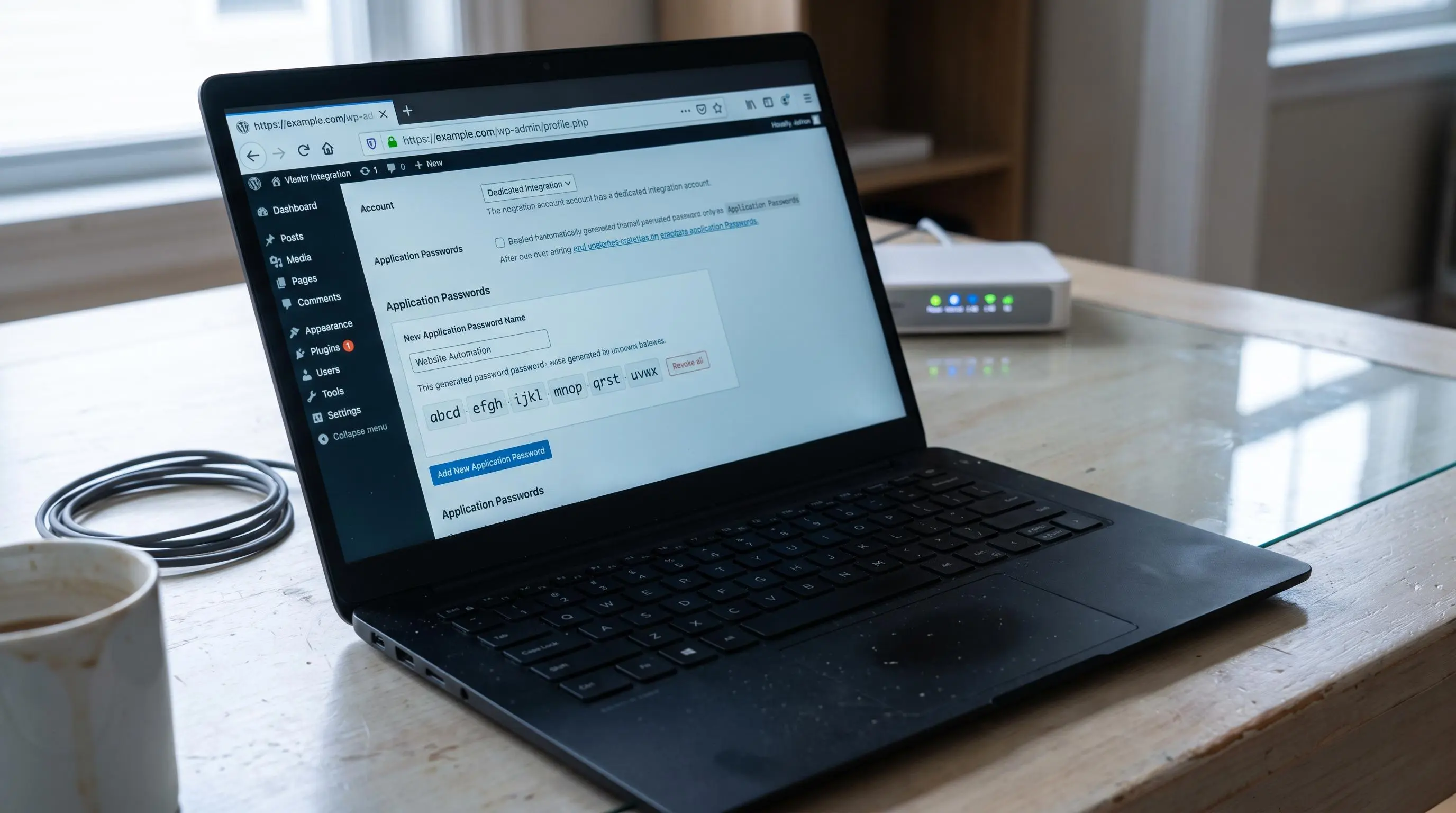
This part isn't complicated, but skipping it causes very predictable trouble.
Start with HTTPS. If the site isn't served securely, don't connect a publishing workflow yet. Fix that first.
Next, create a dedicated WordPress user for the integration. Don't reuse the owner login. Don't use a general admin account just because it's already there. The connected user defines what the integration can do, so give it only the access it needs.
In practice, that means a role with permission to create or publish posts. A contributor-level account usually won't be enough if the workflow needs real publishing control.
Application passwords are the clean way to authenticate. They're created in the WordPress user profile, shown once when generated, and can be revoked later. That's much safer than handing over a normal login password for API publishing.
A few practical checks matter here:
- confirm application passwords are enabled
- confirm REST API access isn't blocked
- check hosting rules and security plugins
- verify pretty permalinks if external apps read posts by slug
That last one sounds minor until a connected system tries to fetch or update content and the URL behavior is inconsistent. Small setup mistakes have a talent for surfacing at inconvenient times.
How to Automate Blog Publishing to WordPress Step by Step
If you're trying to answer "how to automate blog publishing to WordPress," keep the first version simple. Complexity doesn't make this more reliable. Usually the opposite.
Step 1: Choose the source system
Decide where content originates. That could be an AI content platform, a workflow tool, or another CMS. If the business doesn't truly need multi-step orchestration, don't build it.
Step 2: Connect WordPress securely
Enter the site URL, use the dedicated username, and authenticate with an application password or the approved connector method.
Step 3: Map the publishing fields
Match title to post title, content to post body, excerpt to summary, slug to the permalink field, author and taxonomies to the right WordPress entities, and media to the proper upload behavior.
Step 4: Set the default post status
Use draft first while testing. Switch to publish only after the workflow proves itself. Use scheduling when the calendar matters, which is most of the time.
Step 5: Publish a representative test article
Don't test with a toy example. Use a real post with headings, links, images, metadata, and categories. Simple tests hide the problems you actually care about.
Step 6: Review the rendered output in WordPress
Check formatting, SEO fields, images, categories, tags, canonical behavior, and whether the visible page matches the intended page setup.
Step 7: Turn on update logic
This is where a lot of setups quietly fail. Future publishes should update the same article where appropriate, not create duplicates that split signals and confuse your team.
For teams that want research, writing, and CMS publishing in one place, Intelliminds SEO Automation Software is built for that workflow and keeps a human in the loop before publication.
How to Publish AI Articles to WordPress Without Lowering Standards
The temptation with AI is obvious. If the system can write fast, why not auto publish SEO content at scale and sort it out later?
Because "later" turns into cleanup, brand risk, and weak page quality. Then your team starts distrusting the whole process.
If you're going to publish AI articles to WordPress, put a review layer in front of the live button. That review should confirm:
- search intent match
- product or service details
- tone and claims
- internal links
- final slug and title
Draft-first workflows matter even more with AI content because the biggest issues often aren't grammar. They're subtler. Metadata gets missed. Framing is slightly off. A title overpromises. A link points to the wrong page. Those are the mistakes that slip through when a team gets lazy with publishing.
Approval-based publishing avoids the two bad extremes. You don't need to hand-copy every article into WordPress. You also don't need unreviewed drafts going live automatically.
The right mindset is simple: automation should increase editorial judgment, not replace it.
Speed is useful. Uncontrolled speed is just a faster way to publish avoidable mistakes.
The SEO and Content Elements That Must Survive the Handoff
A post is only as strong as the published page. That sounds obvious, but teams still treat the draft as if the job is already done.
The handoff to WordPress is where important details get damaged:
- heading structure
- lists and tables
- internal links
- outbound links
- image placement
- captions
- alt text
SEO plugin compatibility needs real testing. Meta titles and descriptions may map differently depending on the site's setup. Don't assume one plugin field behaves like another.
Canonical URLs are a must-check field, especially for syndication, updates, or cross-posted content. And structured data should never say something the visible page doesn't support. That mismatch is a self-inflicted wound.
The slug also deserves more attention than it usually gets. Bad slugs are sticky. They create clutter, weaken readability, and make updates harder than they should be. If your team wants a faster pre-publish step for this, the Intelliminds SEO Permalink Generator is a practical way to create clean, keyword-focused slugs before the article goes into WordPress.
Scheduling, Updating, and Refreshing Content in One Connected Flow
First publish is only the start. Mature wordpress content automation should handle the full content lifecycle.
WordPress already gives useful status options:
- draft
- publish now
- private
- scheduled date
Your integration should work with those options, not fight them.
Update behavior matters just as much as creation behavior. Good content programs don't start from zero every time. They revise winning posts, refresh stats, update product details, adjust to search intent shifts, and fix stale internal links before those pages decay.
This is where connected systems save real operating time. Intelliminds SEO Automation Software supports publishing and content refreshing inside the same broader SEO workflow, which is the part many teams end up patching together manually.
Consistency beats heroics. A planned cadence will outperform a chaotic sprint-and-stall routine almost every time.
When a Headless or Static Publishing Workflow Makes Sense
Some teams want WordPress as the editorial interface, but not as the final delivery layer. That's where headless or static publishing enters the picture.
The appeal is clear enough:
- marketers keep a familiar WordPress editor
- developers get Git-based version control
- the final site can be faster
- server runtime is reduced
But this route adds real requirements. You need front matter mapping, internal link rewriting, image syncing, deployment triggers, canonical handling, redirect logic, and enough logging to know what failed when something goes wrong. Because something will go wrong eventually.
This setup is best for developer-led marketing teams, documentation-heavy sites, and JAMstack projects that still want a marketer-friendly CMS. It is not the default answer for brands that simply want approved content landing on a normal WordPress blog without extra complexity.
Sometimes the smartest workflow is the less interesting one.
The Most Common WordPress Integration Mistakes and How to Avoid Them
Most integration mistakes are boring. That's why they keep happening.
The usual offenders look like this:
- publishing live too early instead of validating in draft mode
- reusing powerful admin credentials
- assuming every plugin field is supported without testing
- ignoring media handling until images or alt text break
- forgetting update logic and creating duplicate articles
- treating formatting as universal across block and HTML workflows
- missing taxonomy mapping
- pushing structured data that no longer matches the page
- overautomating before the review process is stable
- skipping post-publish monitoring
None of these are advanced problems. They come from rushing.
A reliable workflow is usually the result of a few disciplined choices made early: safer credentials, exact field mapping, realistic test posts, and a draft-first launch. Boring setup. Better outcome.
How to Evaluate a WordPress CMS Integration Tool for Your Team
Don't choose a tool because the feature list is long. Choose it because the workflow gets simpler without losing control.
Here are the criteria we care about most:
- ease of setup
- security model
- draft and approval controls
- scheduling support
- update behavior
- taxonomy mapping
- media handling
- SEO metadata support
- error logging
- retry behavior
- compatibility with your stack
Then apply a business filter. Can your team publish faster without lowering standards? Can non-technical marketers use it confidently? Does it remove enough copy-paste work to matter? Can it support one site or several without becoming fragile?
There is a big difference between a simple tool that creates WordPress drafts and a system that connects research, writing, and publishing into one process. That difference shows up in output consistency more than demos.
The best integration isn't the one with the most moving parts. It's the one that removes manual friction while keeping review control where it matters.
How to Tell if Your Integration Is Actually Improving SEO Operations
Judge the workflow before you judge the rankings.
Start with operational measures:
- time from approved draft to live post
- formatting corrections per article
- missed metadata fields
- publishing consistency against the calendar
Then watch the search-facing outcomes:
- faster indexing of new pages
- steadier content velocity
- stronger refresh cadence
- cleaner page-level SEO execution
Compare the new process against your old manual baseline. That's the honest test. If your team is publishing more reliably, fixing fewer post-launch issues, and refreshing old content without friction, the integration is doing its job.
For lightweight post-publish QA, Google Index Checker is useful for checking whether newly published or refreshed URLs are appearing in search, especially when you're reviewing batches.
Better systems don't guarantee rankings. They do reduce the self-inflicted publishing errors that keep good content from performing.
Conclusion
The real shift here is from patchwork publishing to a connected growth system. Topic research, drafting, publishing, and refreshing should support each other. They shouldn't live in separate tools with manual handoffs holding everything back.
Effortless publishing doesn't mean removing people from the process. It means removing avoidable busywork so your marketers can spend their time on strategy, judgment, and customer acquisition instead of fixing slugs, categories, and broken formatting in WordPress.
If you're ready to clean this up, start with a simple audit of your current handoff. Then test a draft-first wordpress cms integration with full field mapping. Once the workflow is reliable, build from there. That's how you get speed without the mess.
Article Record
ReferencesPrimary sources used for this article
- Connect your CMS - AIclicks
- TanStack Start Supabase - WordPress CMS Integration for the Tanstack Start Supabase SaaS Kit
- WordPress Post Create | DNG Docs
- How The Times Accelerated Their Publishing Workflow
- Case Study: Why Gatsby chose WordPress | Gatsby
- Headless WordPress Hosting: Platform Options and Selection Guide | Pantheon.io
- How to Auto-Publish Blog Posts to WordPress with AI [5-Min Setup] | Clickcentric SEO Blog